USNH Domains users are allocated 1 GB of space on their account. This is important to keep in mind as you install and build your website or application. You can always check your current storage amount under Statistics and Disk Usage on the right-hand side of your cPanel homepage underneath General Information.
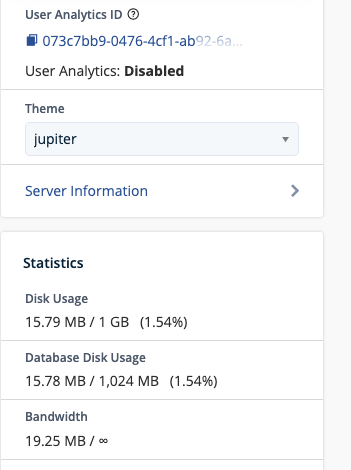
Large files such as high resolution images and sizable documents can eat up space quickly. It’s good practice to keep sizes for large images under 500KB, ideally aiming for 100KB or less for smaller images like logos and thumbnails. Most images will not display larger than 1500 pixels, so there’s no need to upload high resolution versions.
If you find that you are quickly running out of space, check to make sure that automatic back-ups are not turned on, and that you only have one backup sitting in storage.
More information about storage and backups can be found here.